How to Create a Booking Page That Actually Matches Your Brand
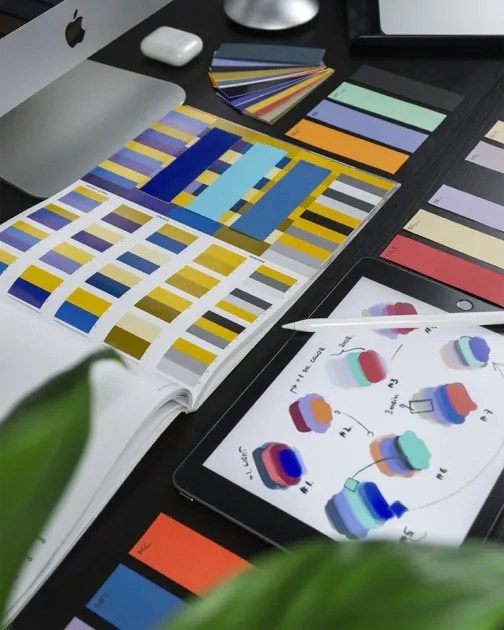
You spent weeks choosing your brand colors. You agonized over fonts. You made sure every page on your website felt cohesive. Then you added a booking button that sends clients to a generic white page with a default sans-serif font and a blue accent color.
Sound familiar? Most booking tools treat design as an afterthought. But your booking page is not just a utility. It is part of your client experience. When it looks disconnected from the rest of your brand, it creates a moment of hesitation right when the client is about to commit.
Why Your Booking Page Design Matters
Think about the last time you clicked through to a payment page that looked completely different from the website you were browsing. That small visual disconnect triggers a trust question: "Am I still in the right place?"
Your booking page works the same way. Clients arrive from your website, your Instagram bio, or a Google search. They have already formed an impression of your brand. If the booking page breaks that impression, some of them will leave.
This is not about vanity. A study by Stanford's Persuasive Technology Lab found that 46% of people assess a website's credibility based on visual design. Your booking page is no exception.
The Three Pillars of a Branded Booking Page
1. Typography Consistency
Fonts carry personality. A law firm using Garamond sends a different signal than a startup using Inter. When your booking page uses the same font as your website, the transition feels natural.
Most booking tools default to system fonts or a handful of Google Fonts. If your brand uses a specific typeface, check whether your booking tool supports it. Some platforms, like CariMeet, offer 30+ self-hosted fonts and custom CSS for full typographic control. Others give you no font options at all.
At minimum, match the font category. If your website uses a serif font, your booking page should not use a geometric sans-serif. Consistency in font style matters almost as much as using the exact same typeface.
2. Color Matching
Every booking tool lets you set a "brand color." But one accent color is not enough for real brand consistency. Consider these elements:
- Background color: Does your brand use pure white, off-white, or a dark background?
- Text color: Do you use pure black text, dark gray, or a brand-specific dark shade?
- Accent color: Your primary action color for buttons and links.
- Secondary color: Used for borders, dividers, and subtle UI elements.
If your booking tool only lets you change one color, you are limited. Look for tools that give you control over background, text, and accent colors separately. Dark mode support is worth checking too. If your brand leans dark and moody (photographers, videographers, nightlife venues), a tool that only offers light backgrounds will clash.
3. Button and UI Style
Buttons are small, but they carry a lot of design weight. A rounded pill button feels different from a sharp-cornered rectangle. A filled button feels different from an outlined one.
Your website probably has a consistent button style. Your booking page should match it. Look for tools that let you adjust button shape (square, rounded, pill), fill style (solid, outline, ghost), and hover effects.
Practical Steps to Brand Your Booking Page
Step 1: Audit Your Brand Elements
Before touching your booking tool, write down your brand specifications:
- Primary and secondary fonts (with weights)
- Color palette (hex codes for background, text, accent, secondary)
- Button style (shape, fill, hover behavior)
- Logo file (SVG or high-quality PNG)
- General tone: light and airy, dark and sophisticated, bold and colorful?
Step 2: Evaluate Your Tool's Options
Open your booking tool's customization settings and check what you can actually change. Map each element from your brand audit to a setting in the tool. Where are the gaps?
Step 3: Fill the Gaps
If your tool supports custom CSS, you can usually close the remaining gaps. Even small CSS tweaks, like adjusting letter-spacing or changing border-radius on elements, can bring the booking page closer to your brand.
If your tool does not support CSS and the built-in options are not enough, it might be time to consider a different platform. There are tools built specifically for design-conscious professionals.
Step 4: Embed, Do Not Redirect
The most brand-consistent approach is embedding your booking widget directly on your website. This way, clients never leave your domain. They stay surrounded by your navigation, your footer, your brand. Some tools offer embeddable widgets that drop right into your existing pages.
Step 5: Test the Full Journey
Book a test appointment yourself. Follow the entire path: from your website to the booking page, through service selection, to confirmation. Note every moment where the design feels inconsistent. Fix what you can.
Branding Checklist for Your Booking Page
- Font matches or complements your website typography
- Background color matches your site (white, off-white, or dark)
- Accent color uses your exact brand hex code
- Button style (shape and fill) matches your website buttons
- Logo is placed and sized correctly
- Dark mode is available if your brand uses dark backgrounds
- The page loads quickly and does not flash unstyled content
- The booking widget is embedded on your website (not just a redirect link)
- Confirmation emails match your brand tone and colors
- The mobile experience feels as polished as desktop
The Payoff
A branded booking page is not about being precious with design. It is about removing friction. Every visual inconsistency is a tiny speed bump between your client's intent and their action. Remove the speed bumps, and more people complete their bookings.
Your brand is a promise. Your booking page should keep it.
Continue reading

Online Appointment Booking for Therapists: A Privacy-First Guide
Your clients trust you with their most private thoughts. That trust should extend to how you handle their appointments. This guide covers online booking with privacy as the priority.
Online Booking for Hair Salons: The Complete 2026 Guide
Walk-ins are unpredictable. Phone bookings eat up your receptionist's time. Online booking fixes both problems, but only if you set it up correctly. This guide covers the specifics for salons.

The 5 Best Booking Software for Small Businesses in 2026
Choosing booking software is harder than it should be. There are dozens of options, and most comparison articles are thinly disguised ads. This one is different. We tested five popular tools and laid out the real trade-offs.