Online Booking for Hair Salons: The Complete 2026 Guide
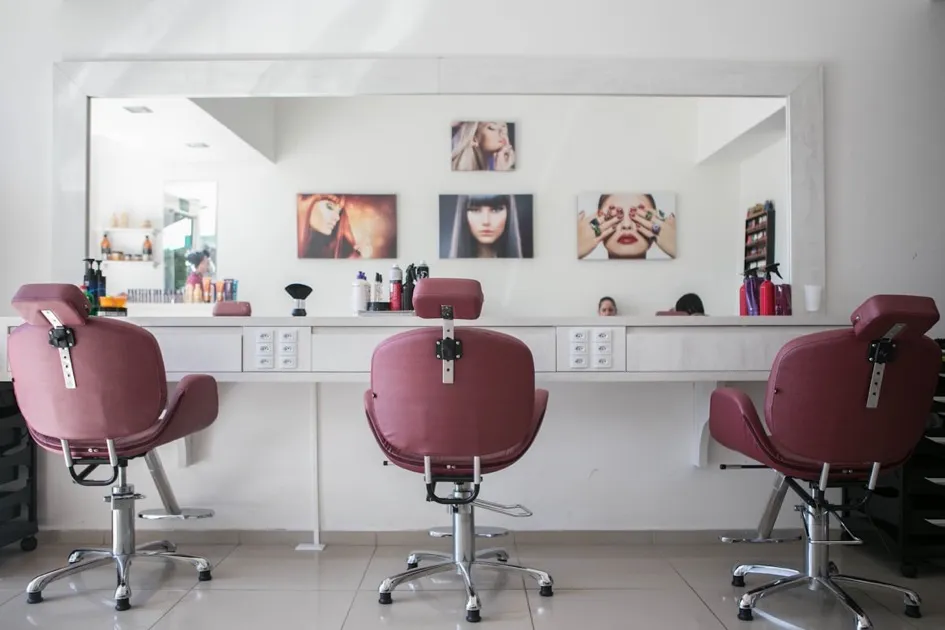
It is 10 AM on a Saturday. Your best stylist is mid-blowout when the phone rings. She glances at you. You are elbow-deep in a color application. The receptionist is on lunch break. The phone rings six more times before voicemail picks up.
That caller probably wanted to book an appointment. Now they are calling the salon down the street instead.
Online booking does not replace the personal touch that makes a great salon. It handles the part of the job that nobody has time for: answering the phone to check availability and pencil in a name.
Why Salons Need Online Booking in 2026
Client expectations have shifted. Most salon clients now prefer booking online over calling, especially younger demographics. The convenience of booking from a phone at any hour is hard to compete with.
But the numbers only tell part of the story. Here is what online booking actually changes for a salon:
- Bookings outside business hours. A significant portion of online bookings happen outside business hours. That is potential revenue you are currently missing.
- Fewer phone interruptions. Every phone call during a service splits your attention. Online booking eliminates the majority of scheduling calls.
- Reduced no-shows. Automated email reminders, sent the day before and the morning of, significantly reduce no-show rates.
- Accurate service durations. When clients book online, they select a specific service with a set duration. No more "I thought a balayage was the same as highlights" surprises.
Setting Up Online Booking: Salon-Specific Considerations
Service Duration and Processing Time
Hair services are not like consulting calls. A 30-minute meeting is a 30-minute meeting. A color service has active application time and processing time where the client sits with color developing.
When setting up your services, account for the full appointment length:
- Active time: The time you are physically working on the client.
- Processing time: The time the client needs to sit (color development, deep conditioning, etc.).
- Cleanup time: Rinsing, styling, and station cleanup before the next client.
For example, a full color service might look like: 30 minutes application + 25 minutes processing + 20 minutes rinse and style = 75 minutes total. Set the service duration to 75 minutes, not 30.
Buffer Time Between Appointments
Buffers prevent the domino effect. One appointment runs 10 minutes late, and your entire afternoon shifts. Build buffer time into your booking setup.
Typical salon buffers:
- 5 minutes for quick services (bang trims, beard trims)
- 10-15 minutes for standard services (cuts, blowouts)
- 15-20 minutes for long services (color, extensions, perms)
Your booking software should let you set buffer time per service, not just a global buffer. A 15-minute buffer after a bang trim wastes time. A 5-minute buffer after a full color application invites chaos.
Multi-Service Bookings
Salon clients often want multiple services in one visit: cut and color, highlights and toner, cut and beard trim. Your booking system should handle combined services with the correct total duration.
If your software does not support multi-service booking, create combo services manually. "Cut + Color" as a single bookable service with the combined duration. It is more work to set up, but it prevents scheduling conflicts.
Reducing No-Shows
No-shows cost salons real money. An empty 90-minute color slot on a Saturday afternoon is not just lost revenue. It is lost revenue you could have filled with a waitlisted client.
Automated Reminders
The single most effective no-show reduction tool. Set up at least two reminders:
- 24 hours before: A reminder that gives the client time to cancel if needed, so you can fill the slot.
- 2-3 hours before: A same-day nudge for clients who might forget.
Email reminders work well for most salons. Sending a short reminder the day before and the morning of the appointment reduces forgotten bookings significantly.
Cancellation Policy
Your online booking page should clearly state your cancellation policy. Common salon policies:
- Free cancellation up to 24 hours before the appointment.
- Late cancellation (less than 24 hours) may be charged a fee.
- No-shows are charged the full service price.
The key word is clearly. Display the policy during booking, not buried in a terms page nobody reads.
Choosing the Right Software for Your Salon
Not every booking tool is built with salons in mind. Here is what to look for:
Must-Have Features
- Per-service duration and buffer settings. Global settings do not work for salons with varied service lengths.
- Automated reminders. Email reminders the day before and morning of the appointment.
- Mobile-friendly booking page. Most salon clients book from their phones.
- Easy rescheduling. Clients should be able to move their appointment without calling.
Nice-to-Have Features
- Client history. Seeing that a client always gets the same service speeds up the booking process. A built-in CRM helps here.
- Customizable booking page. Your booking page should look like your salon, not a generic template. Tools like CariMeet let you match fonts, colors, and button styles to your brand, which matters when your salon's aesthetic is part of what clients are paying for.
- Embeddable widget. Let clients book from your website or Instagram link without leaving the page.
What to Skip
- Overcomplicated enterprise tools. If you spend more time configuring the software than cutting hair, it is the wrong tool.
- Tools that require long contracts. Monthly billing gives you the flexibility to switch if the tool does not work out.
A Typical Salon Setup: Example
Here is how a three-stylist salon might configure their online booking:
Services:
- Women's Haircut: 45 min + 10 min buffer
- Men's Haircut: 30 min + 5 min buffer
- Full Color: 75 min + 15 min buffer
- Highlights (Foil): 120 min + 15 min buffer
- Blowout: 30 min + 10 min buffer
- Cut + Color Combo: 105 min + 15 min buffer
Availability:
- Tuesday-Saturday, 9:00 AM to 7:00 PM
- Lunch break blocked: 12:30 PM to 1:30 PM
- Last booking slot varies by service duration (no 120-min highlights starting at 5 PM)
Reminders:
- Email: 24 hours before
- Email: 3 hours before
Getting Started
You do not need to move your entire operation online overnight. Start with your most popular services. Get those durations and buffers right. Turn on reminders. Share the booking link on your website and social profiles.
Once clients start booking online and you see no-show rates drop, you will wonder why you waited. The phone will still ring, but now it will be clients calling to say how much they loved their haircut, not asking if you have a 3 PM open on Saturday.
Continue reading

Online Appointment Booking for Therapists: A Privacy-First Guide
Your clients trust you with their most private thoughts. That trust should extend to how you handle their appointments. This guide covers online booking with privacy as the priority.

How to Create a Booking Page That Actually Matches Your Brand
Your booking page is often the last step before a client commits. If it looks nothing like the rest of your brand, that gap erodes trust. Here is how to fix it.
The 5 Best Booking Software for Small Businesses in 2026
Choosing booking software is harder than it should be. There are dozens of options, and most comparison articles are thinly disguised ads. This one is different. We tested five popular tools and laid out the real trade-offs.